Gameplay and features
This page focuses on what it is like to play Blaster: controls, gameplay flow, statistics, achievements, leaderboards, and audio.
Blaster game series
- Blaster arcade game
- Blaster setup
- Blaster gameplay and features - You are here
- Blaster architecture
- Blaster deployment
1. Core gameplay loop
Blaster follows a familiar arcade pattern:
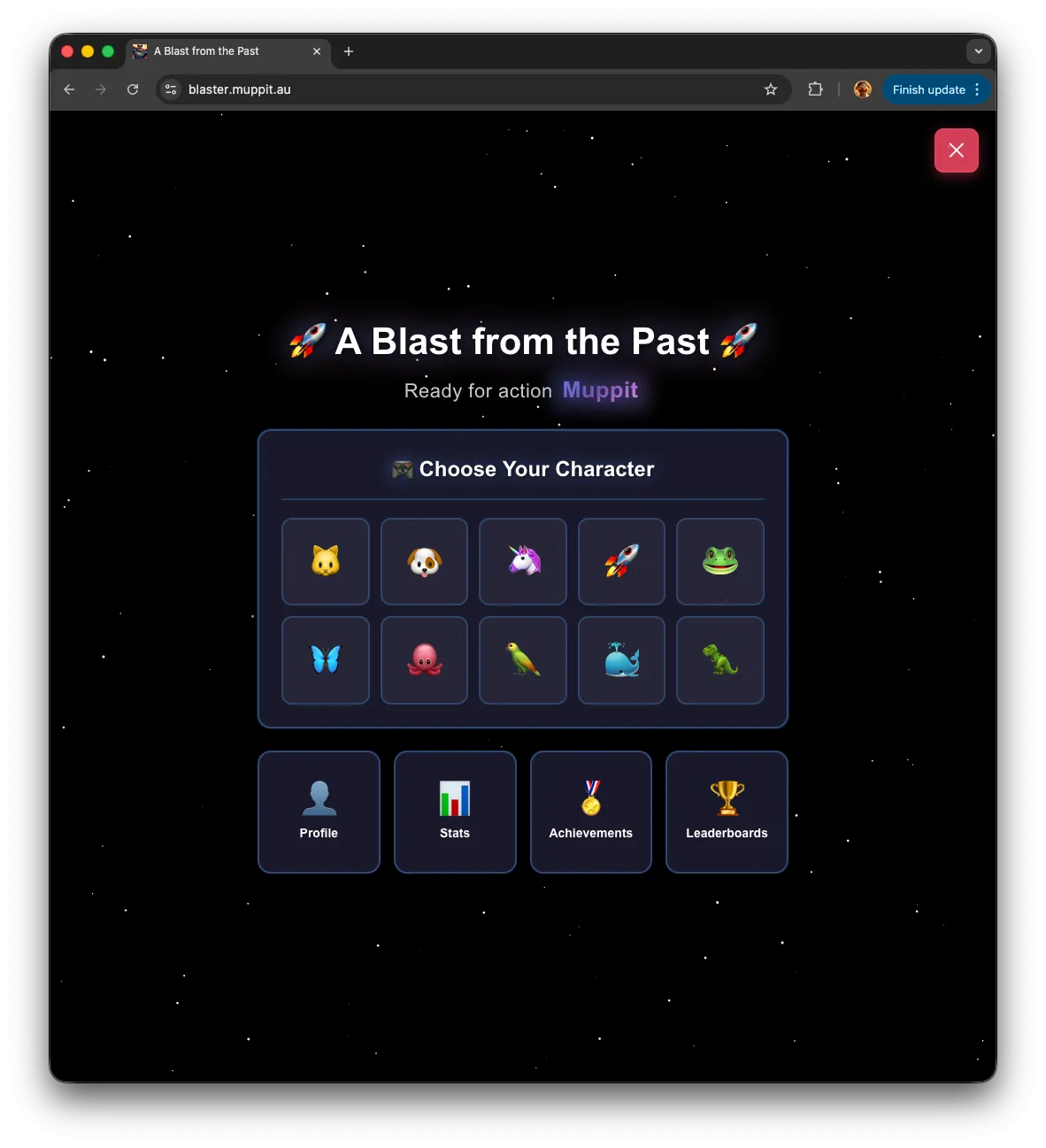
- Choose an emoji character.
- Fight waves of enemies that get harder over time.
- Try to survive and maximise your score before running out of lives.
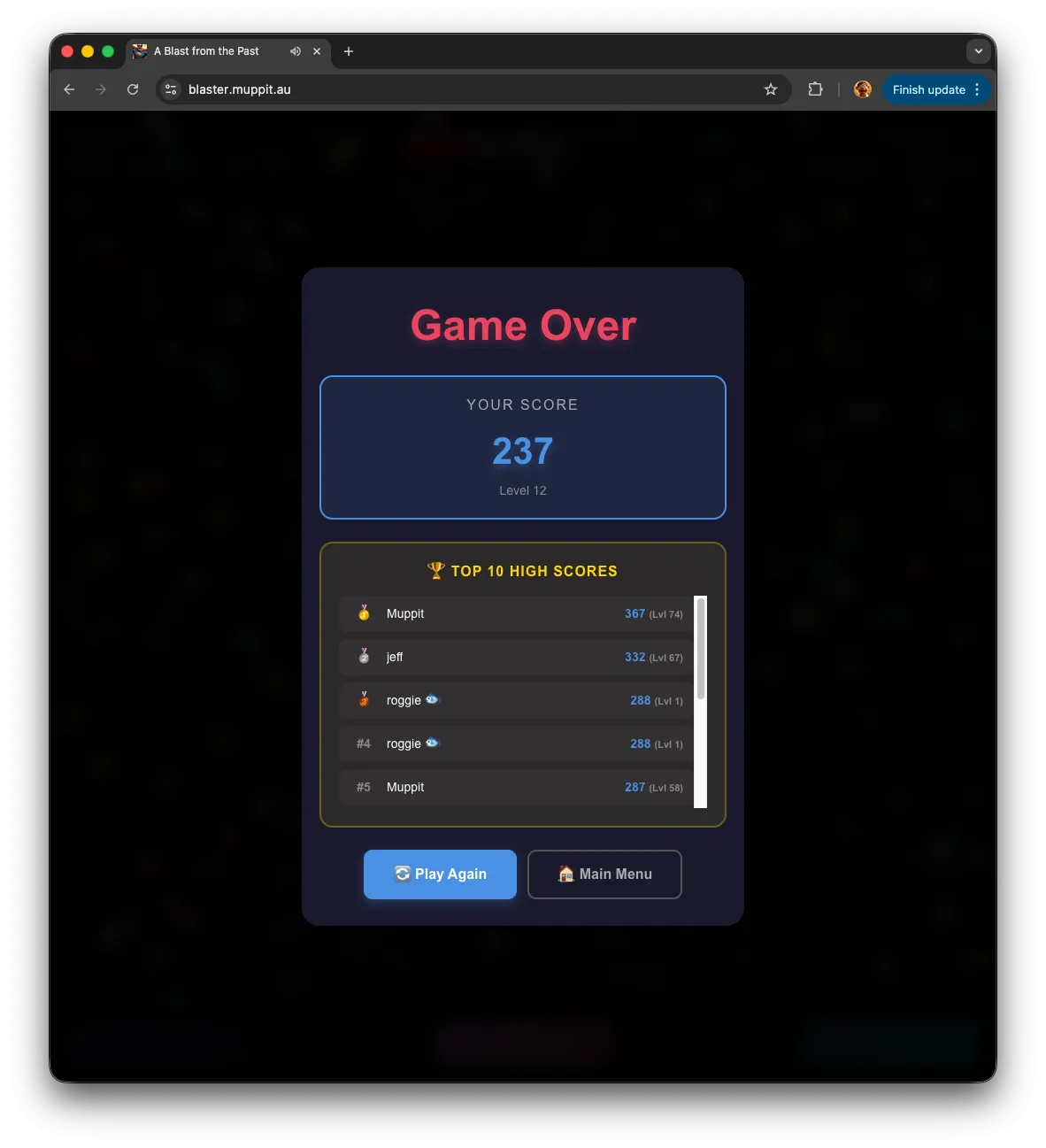
- At game over, review your performance, achievements, and leaderboard position.
The UI is built with React and Next.js, while the game itself runs in Phaser 3 inside a dedicated component. React handles menus, overlays, and panels; Phaser handles the moment-to-moment gameplay.
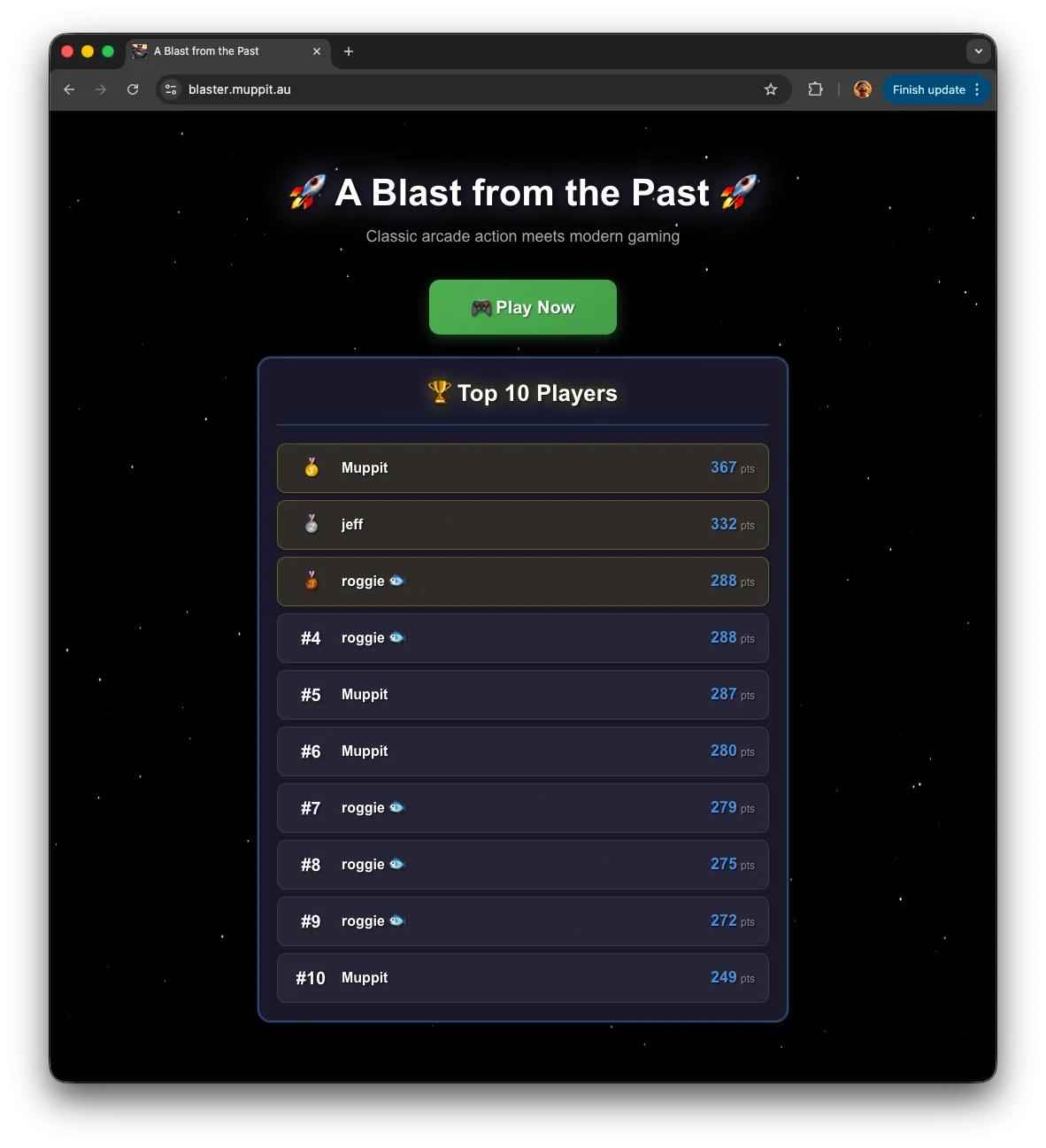
1.1 Landing page
1.2 Selection page
2. Controls
Desktop controls
- Left / right arrow keys: move the player.
- Spacebar: shoot.
Mobile controls
- Drag a finger to move the player.
- Tap the screen to shoot.
Touch targets and layout are sized for typical phone and tablet use, with safe areas and legible HUD text.
2.1 Game play

2.2 Game over
3. Statistics and tracking
Blaster tracks a rich set of stats over time, including:
- Total games played and completed.
- Win rate and longest win streak.
- Total enemies killed.
- Shot accuracy (hits versus shots fired).
- Highest score and level reached.
- Total playtime and longest session.
- Achievement points earned.
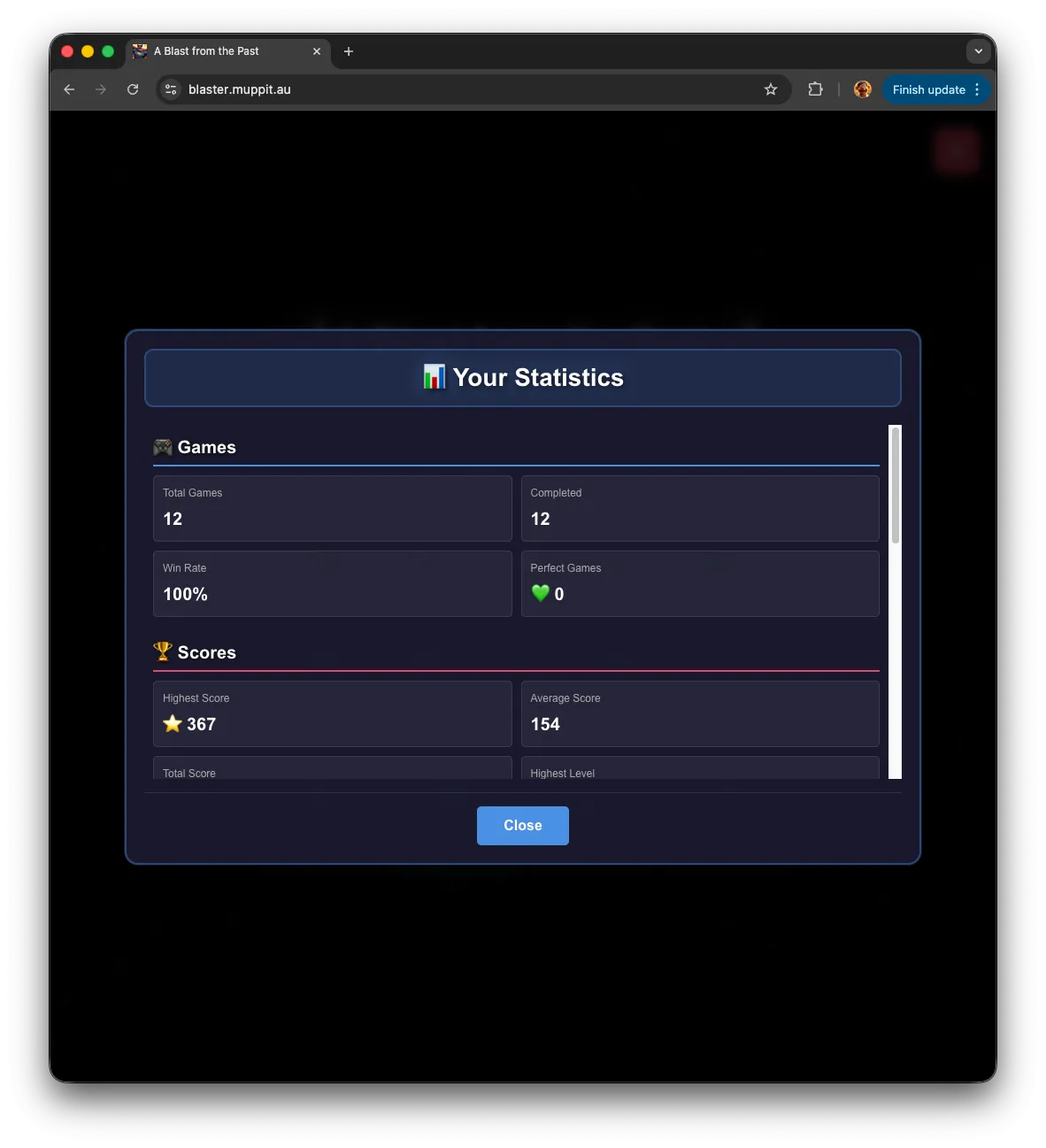
You can access your stats via the “Stats” button on the main menu. Under the hood, PostgreSQL stores the data and the API routes aggregate and present it per user.
4. Achievements
There are multiple achievements across gameplay, score, and progression, for example:
- Hitting certain score thresholds.
- Reaching specific levels.
- Playing a given number of games.
- Completing a game without losing lives.
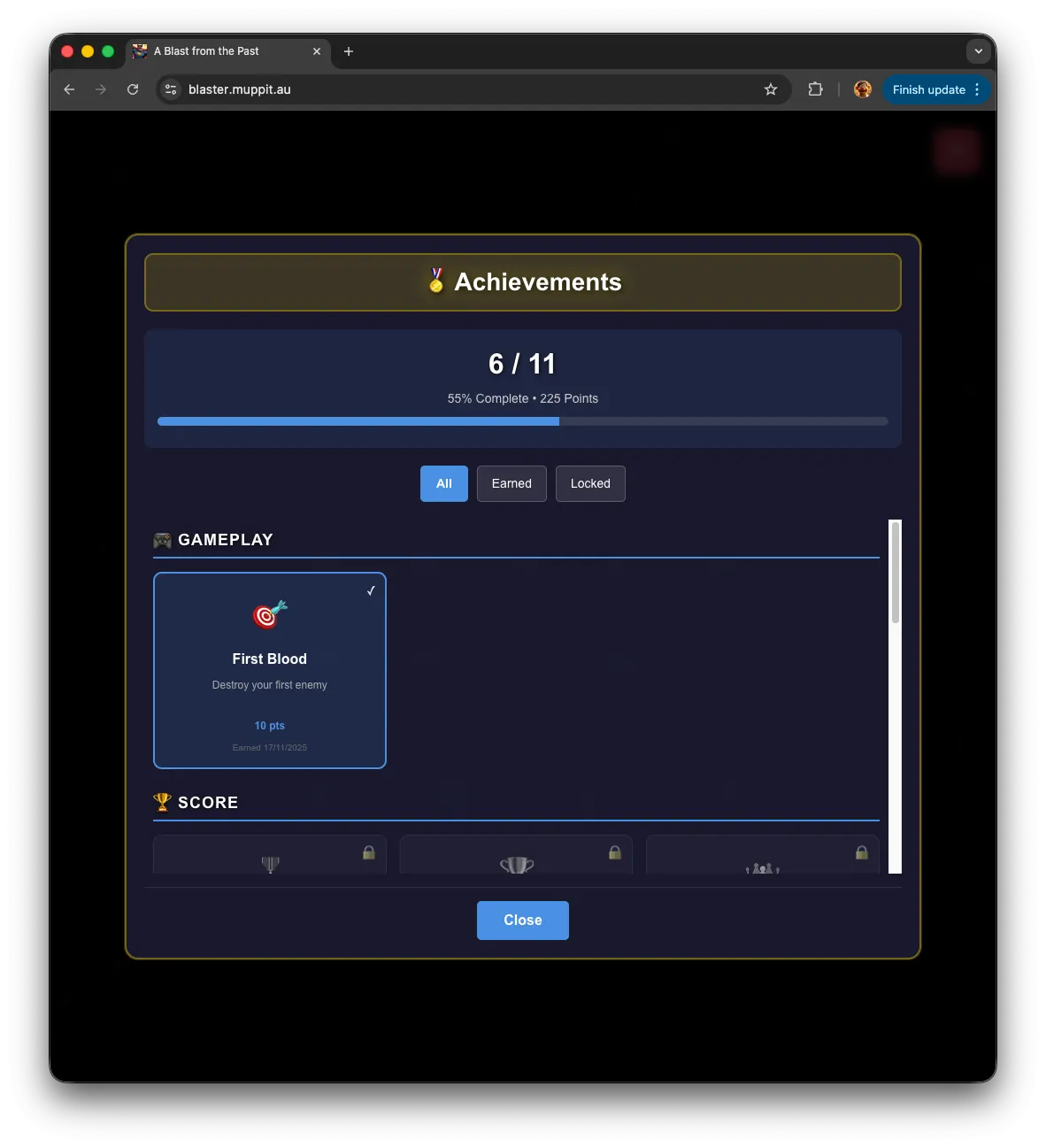
Features include:
- Real-time unlock checks during and after each game.
- Toast notifications when achievements unlock.
- A game over screen that highlights new achievements.
- A dedicated achievements panel with filters for all, earned, and locked.
All of this runs through a proper achievements data model and API rather than being hard-coded only in the client.
5. Leaderboards
Blaster ships with several leaderboard views, such as:
- All-time high scores for individual games.
- Best score per player.
- Highest level reached.
- Best shot accuracy (with minimum attempts).
- Most total playtime.
- Most enemies killed.
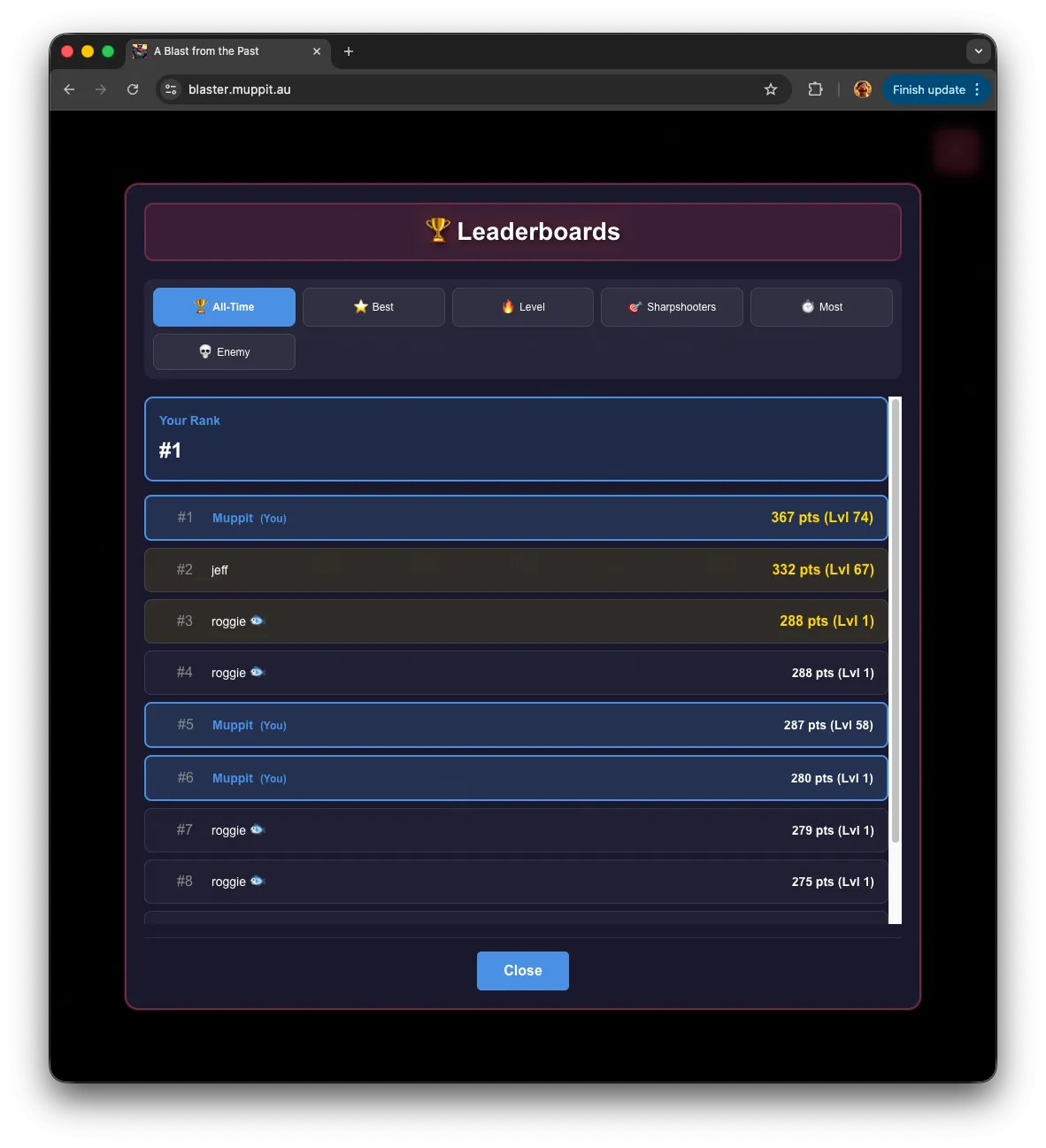
Each leaderboard shows up to the top 100 entries, highlights the top three, and can show your own rank when you are signed in. Leaderboard queries are backed by dedicated database views for performance.
6. Audio and settings
Blaster includes an audio system with a dedicated sound manager and a modern settings interface:
- Separate sliders for sound effects and music.
- Real-time percentage display for levels.
- A clear mute toggle.
- Settings displayed via a portal so they appear cleanly over the game.
The sound manager is configured and uses audio files placed under public/sounds/ and referenced from the configuration.
I created the background music and sounds using Logic Pro on my mac.
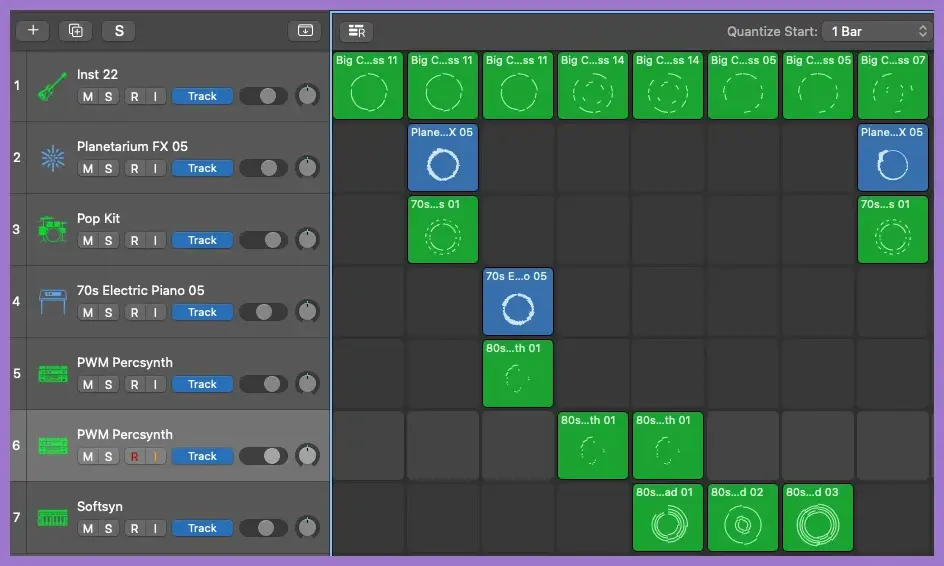
The background music was created using the Live Loops feature and runs for 2 minutes and 6 seconds before it loops. It incorporates the following instruments:
- Big city rocker bass (11)
- Planetarium FX (05)
- 70s ballad drums
- 70s electric piano (05)
- 80s dance base synth (01)
- 80s dance pad (01)
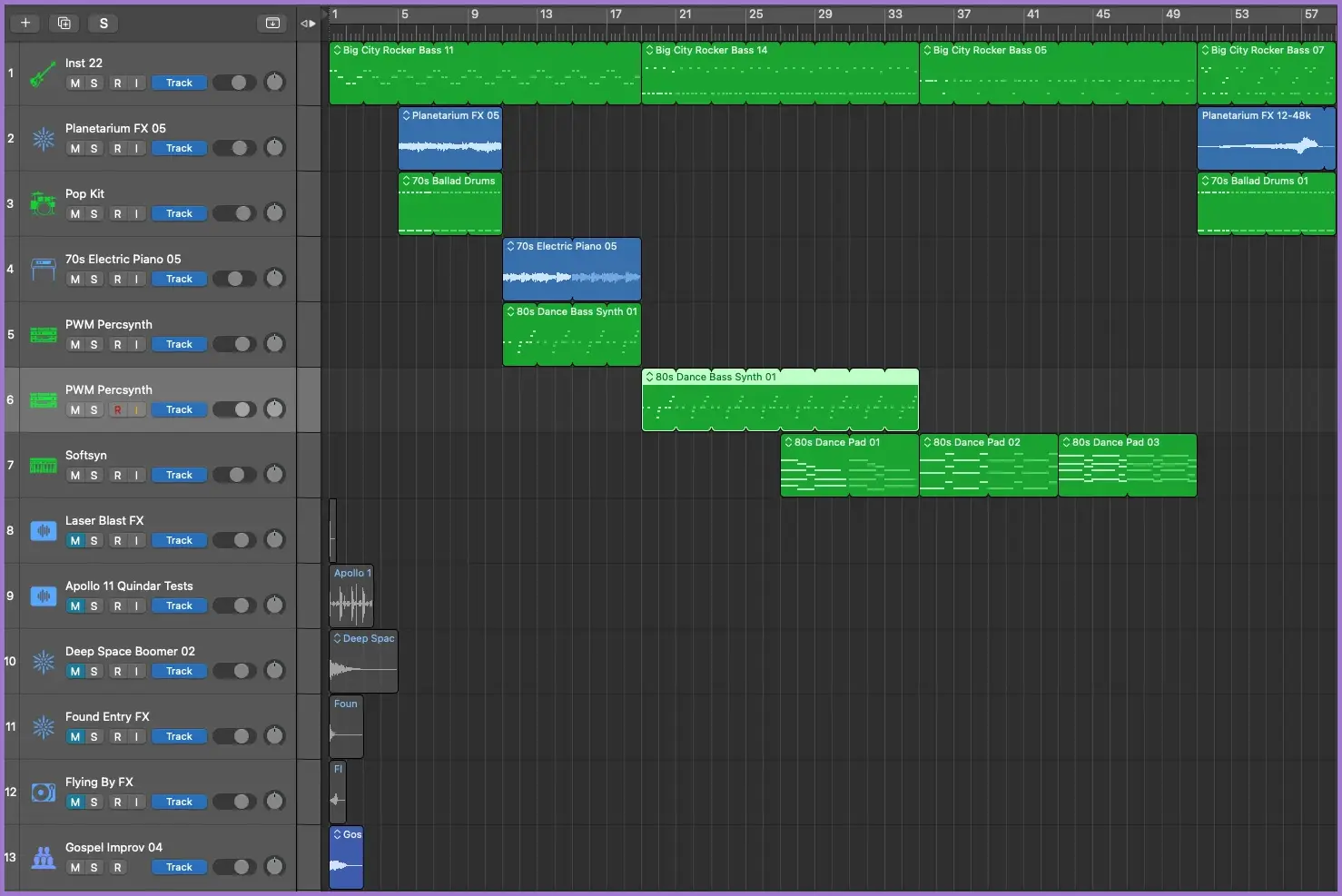
The sound effects uses the following sounds:
- Laser blast FX
- Apollo 11 quindar tests
- Deep space boomer (02)
- Found entry FX
- Flying by FX
- Gospel Improv (04)
6.1 File size reduction
All audio files in WAV format were converted and implemented with dual-format support (MP3 + OGG).
| Audio File | WAV Size | MP3 Size | OGG Size | Total (MP3+OGG) | Savings |
|---|---|---|---|---|---|
| background_music | 35 MB | 4.8 MB | 3.9 MB | 8.7 MB | 26.3 MB (75%) |
| explosion | 2.4 MB | 206 KB | 144 KB | 350 KB | 2.05 MB (85%) |
| extra_life | 1.2 MB | 104 KB | 74 KB | 178 KB | 1.02 MB (85%) |
| game_over | 791 KB | 133 KB | 45 KB | 178 KB | 613 KB (77%) |
| high_score | 1.2 MB | 104 KB | 63 KB | 167 KB | 1.03 MB (86%) |
| laser | 105 KB | 10 KB | 14 KB | 24 KB | 81 KB (77%) |
| level | 615 KB | 53 KB | 43 KB | 96 KB | 519 KB (84%) |
| TOTAL | 41.3 MB | 5.4 MB | 4.3 MB | 9.7 MB | 31.6 MB (76%) |
6.2 Performance improvements
| Metric | Before | After | Improvement |
|---|---|---|---|
| Initial Load Time | ~15-20 seconds | ~2-3 seconds | 83% faster |
| Mobile Data Usage | 43 MB | 4.3 MB | 90% reduction |
| Bandwidth per User | 43 MB | 4.3 MB | 10x reduction |
| Game Startup | Slow | Fast | Significant |
6.3 Changes made
- Converted all 7 audio files to both MP3 and OGG formats using high-quality encoding.
- Updated
app/components/PhaserGame.jsto load dual formats with automatic browser selection:this.load.audio('backgroundMusic', ['/sounds/background_music.mp3','/sounds/background_music.ogg']); - Removed original WAV files from the production build
- Phaser automatically selects the best-supported format for each browser:
- Chrome, Safari, Edge → MP3.
- Firefox → OGG (preferred).
- Mobile browsers → MP3.
6.4 Benefits achieved
- 76% reduction in total audio file size (41.3 MB → 9.7 MB).
- Faster loading times, especially on mobile networks.
- Improved user experience with quicker game startup.
- Cross-browser compatibility maintained across all platforms.
- No perceptible quality loss using high-bitrate compression.
- Production-ready implementation with automatic format selection.
7. Layout, responsiveness, and accessibility
The game UI is designed to behave well across devices:
- Adaptive layouts for mobile, tablet, and desktop.
- Proportional scaling of the player, HUD, and buttons.
- Minimum font sizes for HUD text.
- Respect for safe areas and notches on modern devices.
- Touch-friendly button sizing and clear visual feedback.
The goal is predictable behaviour, clear information, and no surprises when you switch screen size.