School Platform
A Year 7 homeschool tracking platform for Western Australia, designed for home educators to track curriculum coverage, activities, and evidence for moderator meetings. Built with Next.js 16, PostgreSQL, and OpenAI.
School Platform series
- School Platform - You are here
- Architecture
- AI features
- Calendar integration
- Programme
- Explainers
- Schedule
- Integrations
- Deployment
Why this exists
In Western Australia, home educators must demonstrate that their children are covering the 8 mandatory curriculum learning areas. Moderator meetings require evidence of activities, progress tracking, and curriculum alignment. Most families use a mix of spreadsheets, folders, and memory. I needed something better.
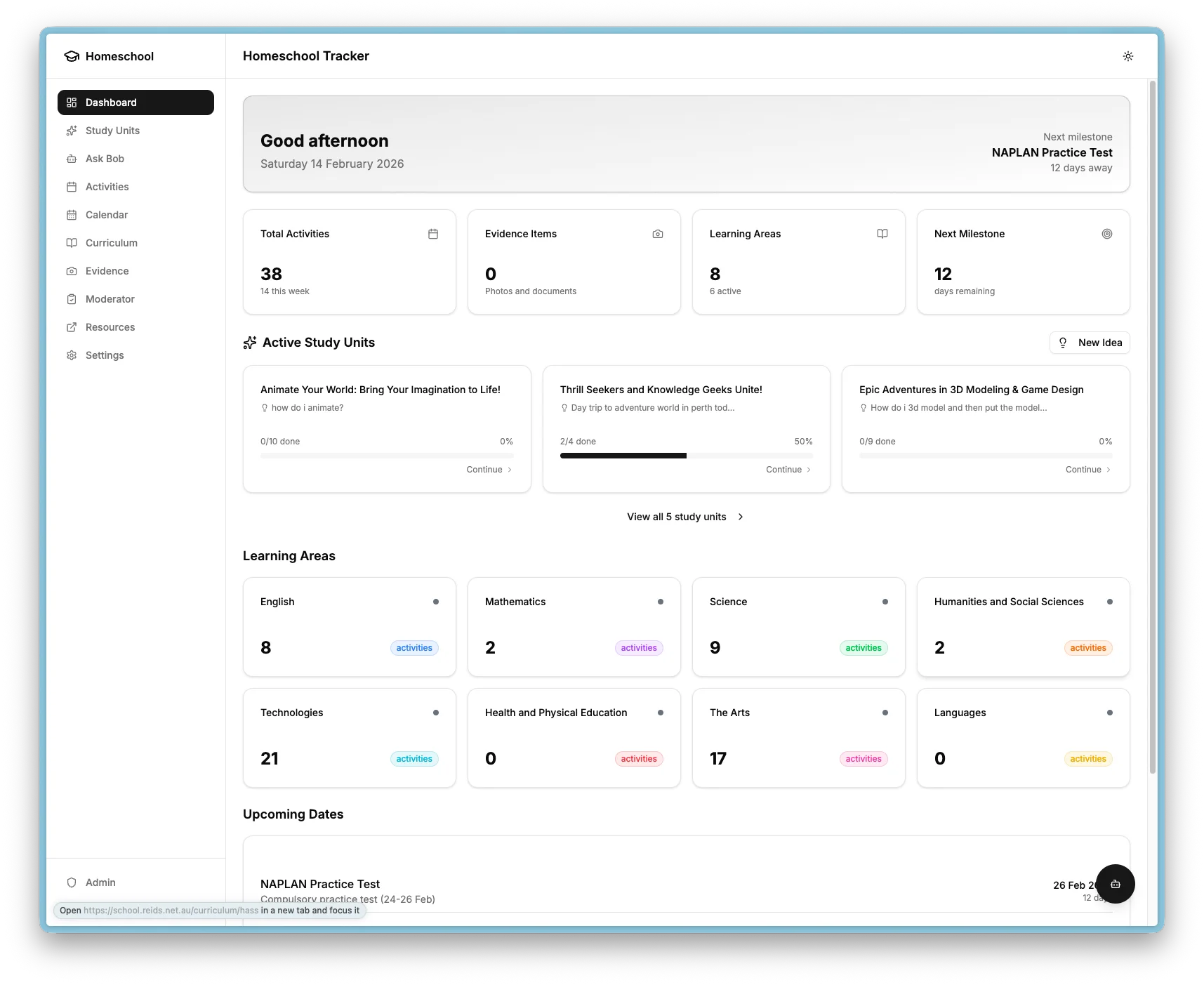
This platform replaces scattered tracking with a single self-hosted application. Activities are logged with multi-area tagging. Evidence is uploaded and linked. Progress is visible at a glance. AI generates cross-curricular learning adventures from simple seed ideas, and a built-in Q&A assistant helps answer subject questions in an age-appropriate way.
The entire platform runs on my Kubernetes cluster, keeps all data on-premises, and works on both desktop and mobile.
What it provides
| Feature | Description |
|---|---|
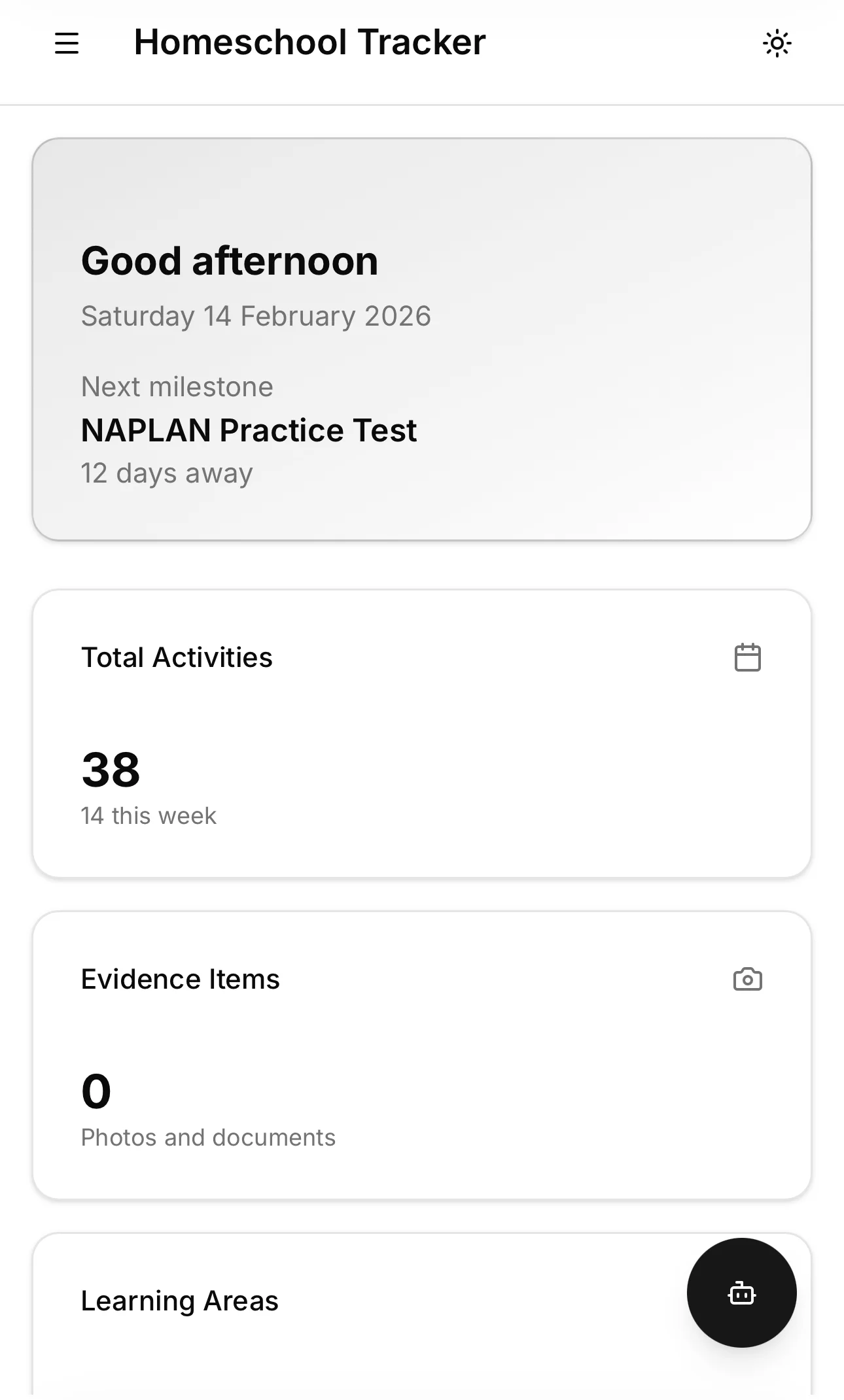
| Dashboard | Overview with stats cards, learning area grid, and upcoming dates |
| Activities | CRUD for learning activities with multi-area tagging |
| Curriculum | 8 WA learning areas with progress tracking and outcome checklists |
| Evidence | Photo and document gallery for moderator meetings |
| Moderator prep | Checklist and summary for evaluation meetings |
| Programme (AvE) | 4-phase maths/Python/animation programme on Raspberry Pi 5 with 125+ badges, interactive explainers, and parent guides |
| Schedule | Weekly planner with drag-drop, daily view with carry-forward, and automatic scheduling from integrations |
| Euka/Mathspace integration | Nightly Playwright scraper with three-phase ingest, auto-scheduling, and evidence capture |
| AI study units | Generate cross-curricular learning from seed ideas using OpenAI |
| Ask Bob Q&A | Interactive AI assistant with programme-aware hints and conversation history |
| Learning Journey | Cumulative command reference and progress tracking across programme modules |
| Content editor | Admin inline editing of programme content with validation and preview |
| Google Calendar | OAuth connection, sync, event creation, activity linking |
| Admin page | Database backup/restore, Obsidian import, calendar management, scraper controls |
| Mobile responsive | Auto-collapsing sidebar, touch-friendly on iPhone and Android |
| Authentication | Zitadel OIDC for admin functions, open viewing on local network |
Tech stack
| Component | Technology |
|---|---|
| Frontend and backend | Next.js 16 (App Router), React 19 |
| Database | PostgreSQL 16.4 |
| ORM | Prisma 7 |
| AI | OpenAI GPT-4o and GPT-4o-mini |
| Authentication | Auth.js v5 with Zitadel OIDC |
| Calendar | FullCalendar with Google Calendar API |
| Notifications | Slack (@slack/web-api) |
| Toasts | Sonner (global notifications for scraper events) |
| Scraper | Playwright (headless Chromium, separate repo) |
| UI components | shadcn/ui (Radix UI and Tailwind 4) |
| Deployment | Kubernetes with Flux GitOps |
| CI/CD | GitLab CI with Kaniko |
| File storage | NFS (QNAP NAS) |
| Secrets | SOPS with age encryption |
| Monitoring | Uptime Kuma and Prometheus |
Architecture overview
Learning areas
The platform tracks the 8 mandatory WA Curriculum learning areas:
| Area | Code | Colour |
|---|---|---|
| English | english | Blue |
| Mathematics | maths | Purple |
| Science | science | Green |
| Humanities and Social Sciences | hass | Orange |
| Technologies | technologies | Cyan |
| Health and Physical Education | health-pe | Red |
| The Arts | arts | Pink |
| Languages | languages | Yellow |
Each area has curriculum outcomes that can be tracked as Not Started, Working On, or Accomplished. Activities can span multiple areas for cross-curricular coverage.
How it came together
The platform was built in 17 phases, each adding a focused capability:
- Scaffold and core UI - Next.js 16 with App Router, Prisma 7, shadcn/ui, dashboard, activities, curriculum, and evidence pages.
- Kubernetes deployment - Manifests, Flux GitOps, NFS storage, SOPS-encrypted secrets, and GitLab CI/CD.
- Database and seeding - Schema with the 8 learning areas, key dates, and initial student record.
- Evidence gallery - Photo upload with drag-drop, lightbox viewer, and NFS storage integration.
- Theme and mobile - Dual-storage theme persistence, auto-collapsing sidebar, touch-friendly responsive layout.
- Authentication - Zitadel OIDC for admin functions with a "local network trust" model for family use.
- AI study units - OpenAI-powered generation that turns seed ideas into cross-curricular learning adventures with a personalised AI assistant.
- Ask Bob Q&A - Interactive AI assistant accessible from anywhere in the app with full conversation history.
- Database management - SQL backups with daily CronJob, 30-day retention, Slack notifications, and verification.
- Google Calendar - OAuth connection, event sync, privacy masking, activity linking, and public event creation.
- Programme (AvE) - 4-phase maths/Python/animation programme with task hierarchy, badges, wall charts, and parent guides.
- Schedule - Weekly planner with drag-drop, daily view with carry-forward, and auto-scheduling from integrations.
- Euka/Mathspace integration - Nightly Playwright scraper with three-phase ingest, auto-evidence, and admin UX.
- Scraper admin - On-demand sync, global toast notifications, auto-refresh, and term locking.
- Interactive explainers - Canvas-based visual walkthroughs with animation, pause/play, and popup windows.
- Content editor - Admin inline editing of programme content with validation, preview, and seed safety.
- Learning Journey and Ask Bob context - Cumulative progress tracking and per-step AI tutor with Socratic guardrails.
Authentication model
The platform follows a "local network trust" model. Most actions are open because the app runs on a private network used only by the family. Admin functions that could cause data loss require Zitadel OIDC authentication.
| Action | Auth required |
|---|---|
| View dashboard, activities, curriculum | No |
| Add activities, upload evidence | No |
| View calendar, create events | No |
| Change theme | No |
| Delete records | Yes (admin) |
| Database backup and restore | Yes (admin) |
| Import from Obsidian | Yes (admin) |
| Connect and sync Google Calendar | Yes (admin) |
The numbers
- 17 phases, all complete
- 40 database models
- 8 learning areas with curriculum outcome tracking
- 125+ programme badges across five types
- 3 AI features (study units, Ask Bob, preference memory)
- Daily automated backups with 30-day retention and Slack alerts