Features
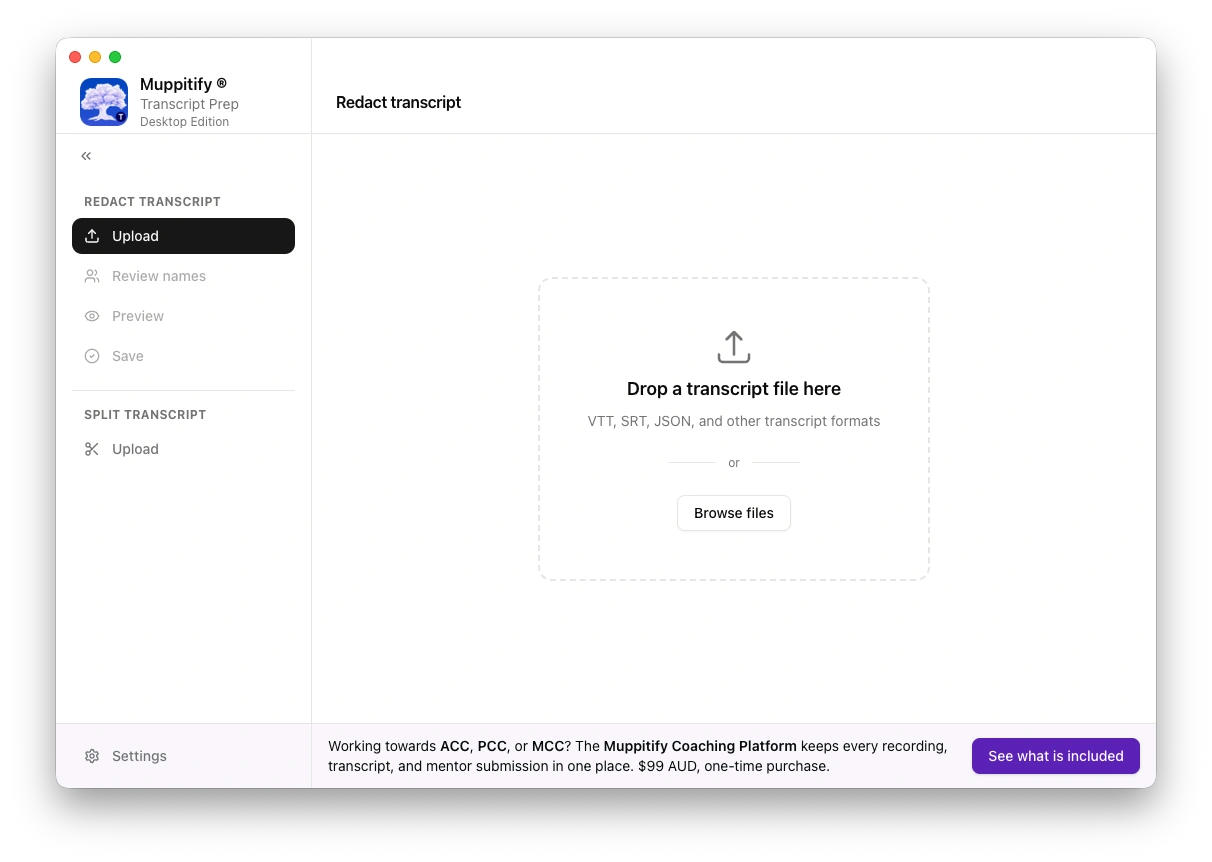
Automatic detection
Paste or open a transcript and the detector scans and highlights every candidate for redaction. It looks for names, emails, phone numbers, addresses, company names, and any other identifiers.
Each suggestion is shown alongside a stable placeholder. Accept, reject, or edit each one. The original text is never altered without an explicit action.
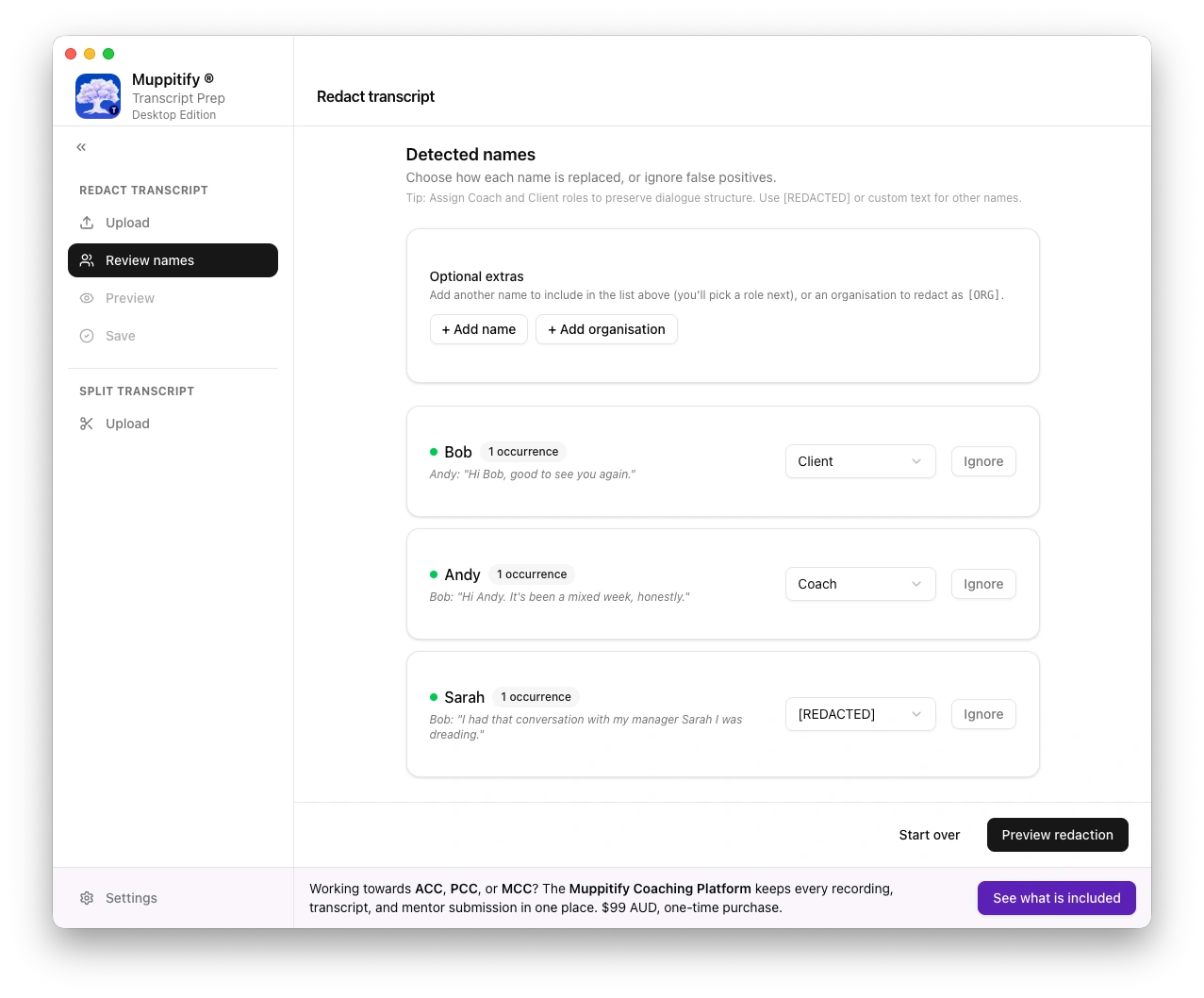
Full transcript editor
The preview screen is a live editor, not a static view. Edit the transcript directly while the redaction list stays in sync.
Search. Jump to any word across the whole transcript. Matches are highlighted in both the transcript and the redaction list, and the view auto-scrolls to keep the current match centred.
Manual redaction. Select any run of text and redact it by hand when the detector missed something or when you want a custom placeholder.
Trim from here. Drop everything above or below a chosen line when the recording starts late or ends long.
Undo and redo. Ten steps of undo and redo cover edits, redactions, trims, and accept or reject decisions, and nothing you do is permanent until you save.
Side-by-side review
Original and redacted views render side by side with synchronised scrolling. Skim both at once to confirm nothing meaningful was lost.
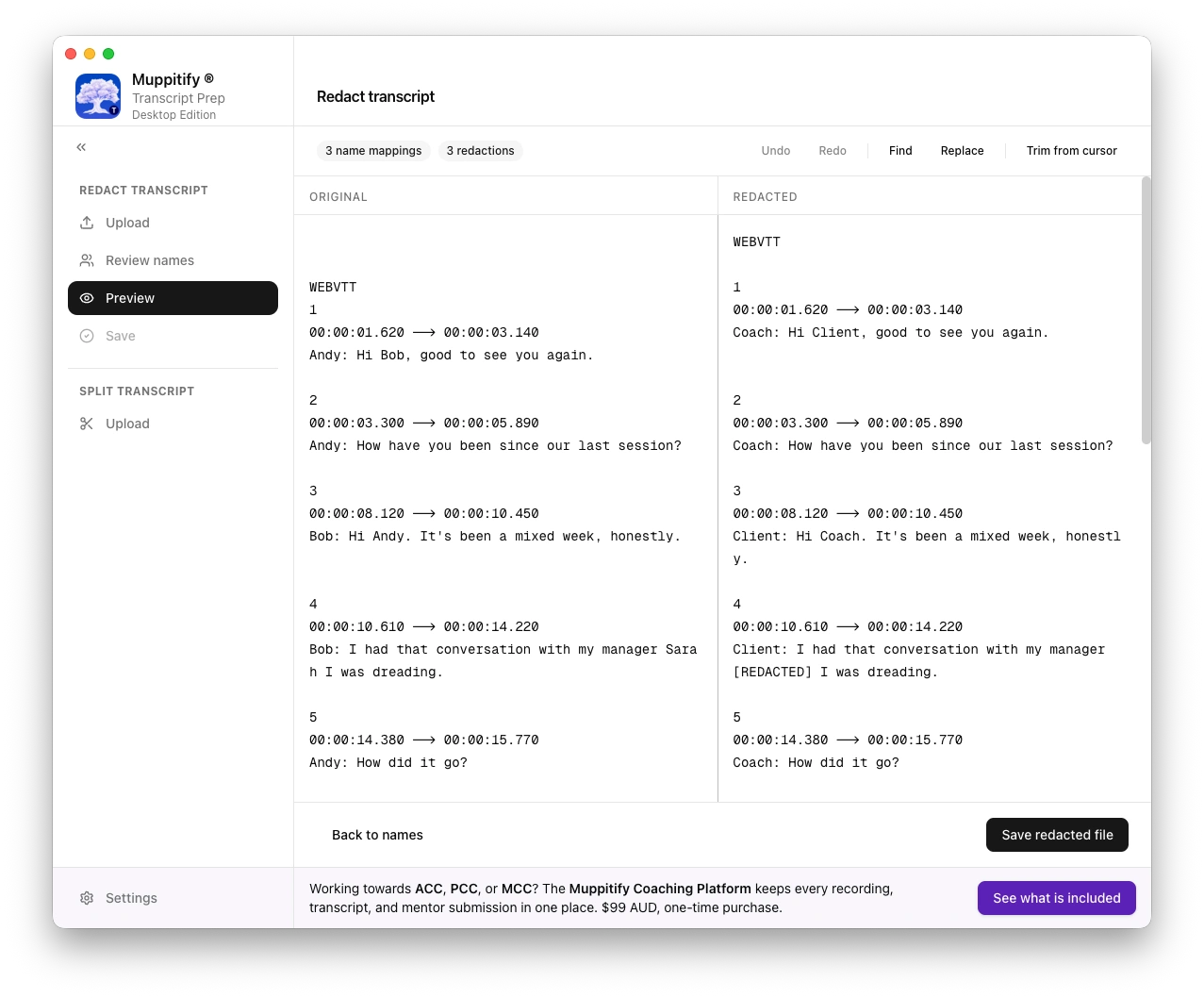
Save and export
Save the cleaned transcript to any location on disk; the original file is never overwritten. A one-click button also copies the redacted text straight to the clipboard.
Split a transcript
Long sessions often cover more than one distinct topic, and sometimes only half a recording needs to go to a given reviewer. The Split transcript mini-wizard lets you break a single file into two parts without leaving the app.
Open a transcript, pick the exact line you want to split on, preview the two halves side by side, and save each with its own file name. The original is left untouched. Suggested filenames prepend part1_ and part2_ so you can drop them next to the source on disk.
This is a purely mechanical split: the app does not redact or edit content during the split. Run each half back through the main redaction wizard afterwards if you want a cleaned copy.
Auto-updates
The app checks for updates in the background on launch and prompts you when one is available. Updates are signed and notarised on macOS, signed on Windows with an Extended Validation code-signing certificate, and installed with your consent only.
Toggle Receive beta updates in Settings to preview the next release before it ships to stable.
Runs locally
Transcript content is processed locally and never uploaded. No account, no sign-in, no analytics, no crash reporting. The only network traffic is a one-time licence request on first launch and update checks after that. See the privacy policy for the exact endpoints.