Architecture
This page covers the technical decisions, key patterns, and project structure of the school platform.
School Platform series
- School Platform
- Architecture - You are here
- AI features
- Calendar integration
- Programme
- Explainers
- Schedule
- Integrations
- Deployment
Technology choices
Next.js 16 with App Router
App Router provides server components for initial page loads, API routes in the same codebase, built-in routing with dynamic segments, and streaming with Suspense support.
Key patterns used:
'use client'directive for interactive componentsexport const dynamic = 'force-dynamic'on API routes and pages using Prisma (prevents static rendering at build time whenDATABASE_URLis not available). This is a legacy pattern still present across 39 files; new routes rely on the lazy Prisma proxy below to avoid build-time instantiation, butforce-dynamicremains as a belt-and-braces guard.- Server-side data fetching where possible
Prisma 7 with PostgreSQL
Type-safe database access with a lazy proxy pattern to avoid instantiation at build time:
export const prisma = new Proxy({} as PrismaClient, {
  get(_target, prop) {
    const client = getPrismaClient()
    const value = client[prop as keyof PrismaClient]
    if (typeof value === 'function') {
      return value.bind(client)
    }
    return value
  },
})
This prevents DATABASE_URL not set errors during next build. The Prisma client is only created when first accessed at runtime.
Other decisions:
- Default
@prisma/clientoutput location (not custom path) for simpler Docker builds @prisma/adapter-pgfor connection poolingprisma.config.tswith conditional dotenv (only loads in dev, production has env vars from Kubernetes)
Auth.js v5 with Zitadel
Follows a "local network trust" model. Most operations are public because the app runs on a private network for the family. Admin functions (delete, backup, restore, import) require Zitadel OIDC authentication.
Key files:
| File | Purpose |
|---|---|
src/auth.config.ts | Edge-compatible config (no Prisma imports) |
src/auth.ts | Full config extending auth.config |
src/lib/auth.ts | Re-exports for backward compatibility |
shadcn/ui with Tailwind 4
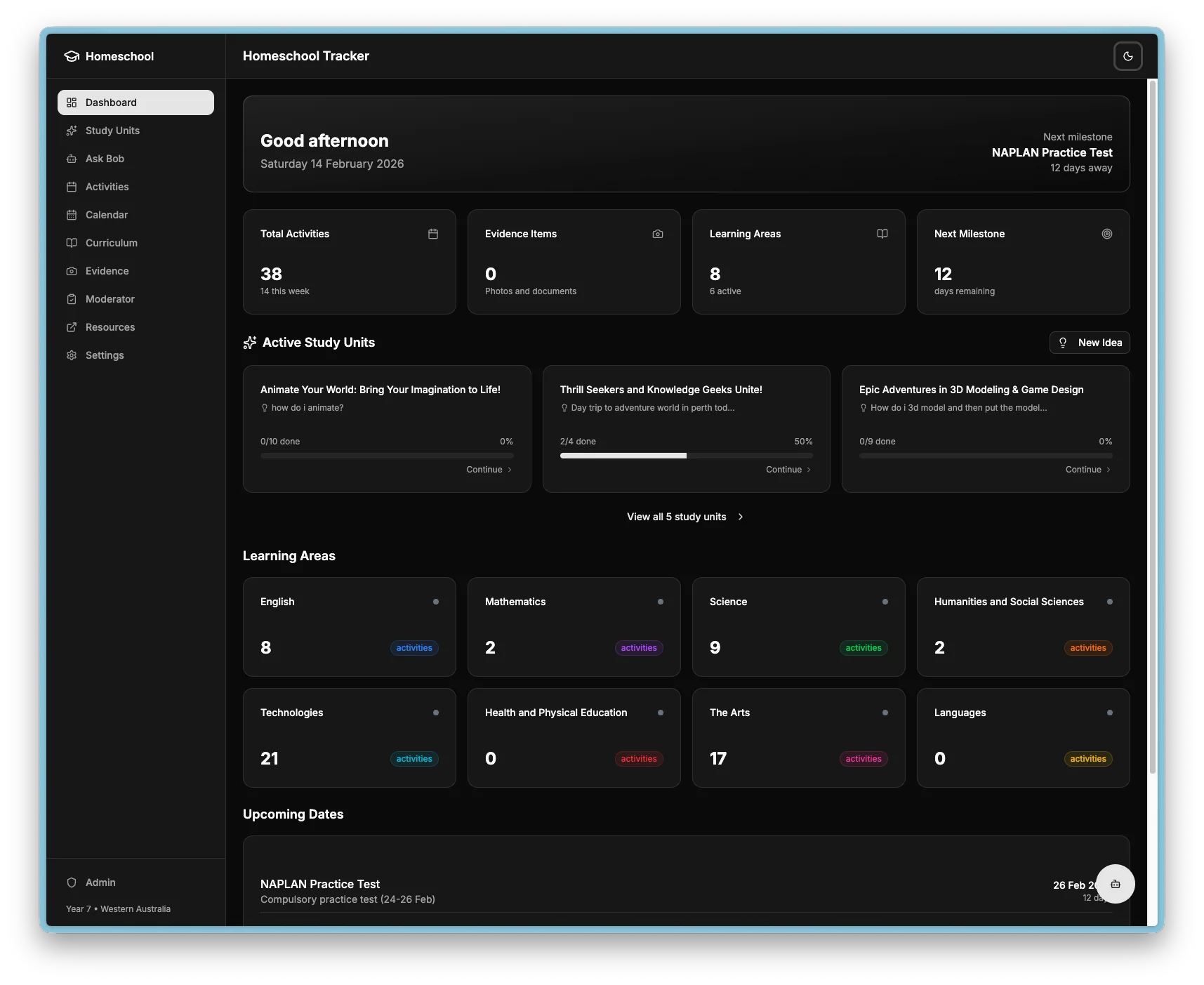
All UI components from shadcn/ui in src/components/ui/. Dark mode support via CSS variables with consistent styling across the app.
Mobile responsiveness
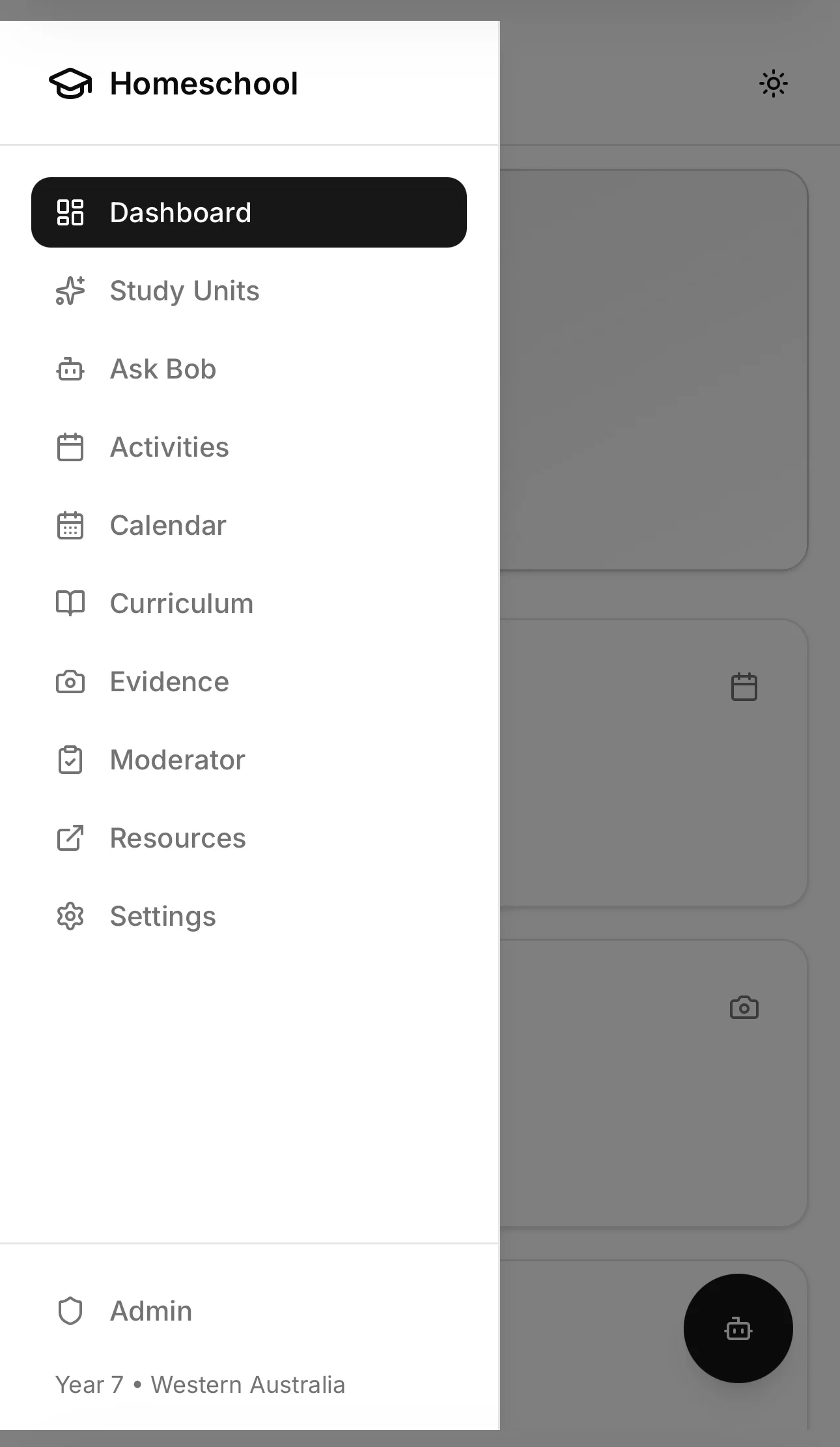
The platform works on iPhone and Android with a mobile-first approach using Tailwind responsive breakpoints.
Key patterns:
Auto-collapsing sidebar - Desktop sidebar hidden on mobile (hidden md:flex), replaced with a hamburger menu and Sheet drawer component.
Stacking layouts - Headers with titles and buttons stack vertically on mobile, side-by-side on desktop.
iOS scroll containment - overscroll-contain prevents scroll leaking to parent containers.
Responsive grids - Form fields stack on mobile, grid on desktop using grid-cols-1 sm:grid-cols-2.
Scrollable tabs - Horizontal scroll for tab groups that overflow on mobile.
Breakpoints used:
| Breakpoint | Width | Purpose |
|---|---|---|
sm: | 640px | Small tablets, landscape phones |
md: | 768px | Tablets, sidebar visibility |
lg: | 1024px | Desktops, larger grids |
Dockerfile pattern
Three-stage build for a minimal production image:
| Stage | Purpose |
|---|---|
| Builder | All dependencies, build Next.js |
| Deps | Production dependencies only, generate Prisma client |
| Runner | Minimal image with standalone output |
Key decisions:
opensslandlibc6-compatrequired for Prismapostgresql-clientincluded for backup and restore scripts- Pinned npm version for reproducible builds
HEALTHCHECKfor Kubernetes probe support- Standalone output means no
node_modulesin the final image
Project structure
platform/
├── prisma/
│   ├── schema.prisma          # 40 database models
│   ├── prisma.config.ts       # Prisma 7 config
│   ├── seed.ts                # 8 learning areas, key dates, student
│   ├── seed-ave.ts            # AvE phases, modules, badges
│   ├── seed-ave-tasks.ts      # Orchestrator for phase task seeds
│   └── seed-ave-phase[1-4].ts # Per-phase task content
├── src/
│   ├── app/                   # Next.js App Router pages
│   │   ├── api/               # API routes
│   │   │   ├── activities/        # Activity CRUD
│   │   │   ├── study-units/       # Study units and AI generation
│   │   │   ├── conversations/     # Ask Bob chat threads
│   │   │   ├── programme/         # AvE programme APIs
│   │   │   ├── schedule/          # Schedule and planner APIs
│   │   │   ├── integrations/      # Euka/Mathspace ingest APIs
│   │   │   ├── calendar/          # Public calendar APIs
│   │   │   └── admin/             # Admin-only APIs
│   │   │       ├── db/                # Backup, restore, verify
│   │   │       ├── import/            # Obsidian import
│   │   │       ├── scrapers/          # Scraper status, run-now
│   │   │       └── calendar/          # Calendar sync, admin events
│   │   ├── dashboard/         # Dashboard page
│   │   ├── activities/        # Activity CRUD pages
│   │   ├── programme/         # AvE programme pages
│   │   │   ├── [phase]/           # Phase detail with tabs
│   │   │   ├── folio/            # Printable moderator folio
│   │   │   ├── explainer/        # Popup explainer windows
│   │   │   └── _components/      # Programme components
│   │   │       └── explainers/        # Interactive explainer configs
│   │   ├── schedule/          # Weekly planner page
│   │   ├── today/             # Daily view page
│   │   ├── integrations/      # Euka/Mathspace progress pages
│   │   ├── study-units/       # AI study unit pages
│   │   ├── questions/         # Ask Bob Q&A pages
│   │   ├── calendar/          # Calendar page
│   │   ├── curriculum/        # Learning area pages
│   │   ├── evidence/          # Evidence gallery
│   │   ├── moderator/         # Moderator prep page
│   │   ├── admin/             # Admin page (auth required)
│   │   └── settings/          # Theme and AI settings
│   ├── components/            # React components
│   │   ├── ui/                    # shadcn/ui components
│   │   ├── layout/                # Header, sidebar, mobile-nav
│   │   ├── calendar/              # FullCalendar, event dialogs
│   │   ├── questions/             # Ask Bob chat, floating button
│   │   ├── rating/                # Star and emoji ratings
│   │   ├── admin/                 # Database management UI
│   │   └── curriculum/            # Progress ring, outcome checklist
│   └── lib/                   # Utilities
│       ├── db.ts                  # Prisma client (lazy proxy)
│       ├── ave.ts                 # Badge earning and task ripple
│       ├── ave-schedule.ts        # AvE/schedule integration
│       ├── google-calendar.ts     # Google Calendar API client
│       ├── backup-utils.ts        # Backup and restore helpers
│       ├── slack.ts               # Slack notification client
│       ├── scraper-sync-watcher.tsx  # Global scraper toast component
│       └── ai/                    # AI integration
│           ├── openai.ts              # OpenAI client
│           ├── prompts.ts             # Prompt templates
│           ├── study-unit-generator.ts
│           └── question-answerer.ts
├── k8s/
│   └── prod/                  # Kubernetes manifests (17 files)
└── Dockerfile                 # Three-stage production build
Database overview
The database has 40 models organised into seven domains:
Core entities - Student, Activity, LearningArea, Evidence, CurriculumOutcome, and their junction tables for many-to-many relationships.
AI and study units - StudyUnit, Question (legacy), Conversation, Message, AppSettings, PreferenceMemory.
Calendar - GoogleCalendarConnection, CalendarEvent with activity and study unit linking.
Programme (AvE) - AvePhase, AveModule, AveTask, AveBadge, AveTaskLearningArea, ScratchProject. See Programme.
Schedule - PlanPeriod, WeekBlock, WeekBlockItem, DailySchedule, DailyScheduleItem. See Schedule.
Integrations - ScraperRun, EukaLesson, EukaTerm, MathspaceTopic. See Integrations.
Supporting tables - ModeratorMeeting, KeyDate, UserPreference, ImportLog.
See Deployment for database backup and restore details.