AI features
This page covers the two AI-powered features in the school platform: study unit generation that turns simple ideas into cross-curricular learning adventures, and Ask Bob, an interactive Q&A assistant with full conversation history.
School Platform series
- School Platform
- Architecture
- AI features - You are here
- Calendar integration
- Programme
- Explainers
- Schedule
- Integrations
- Deployment
AI study units
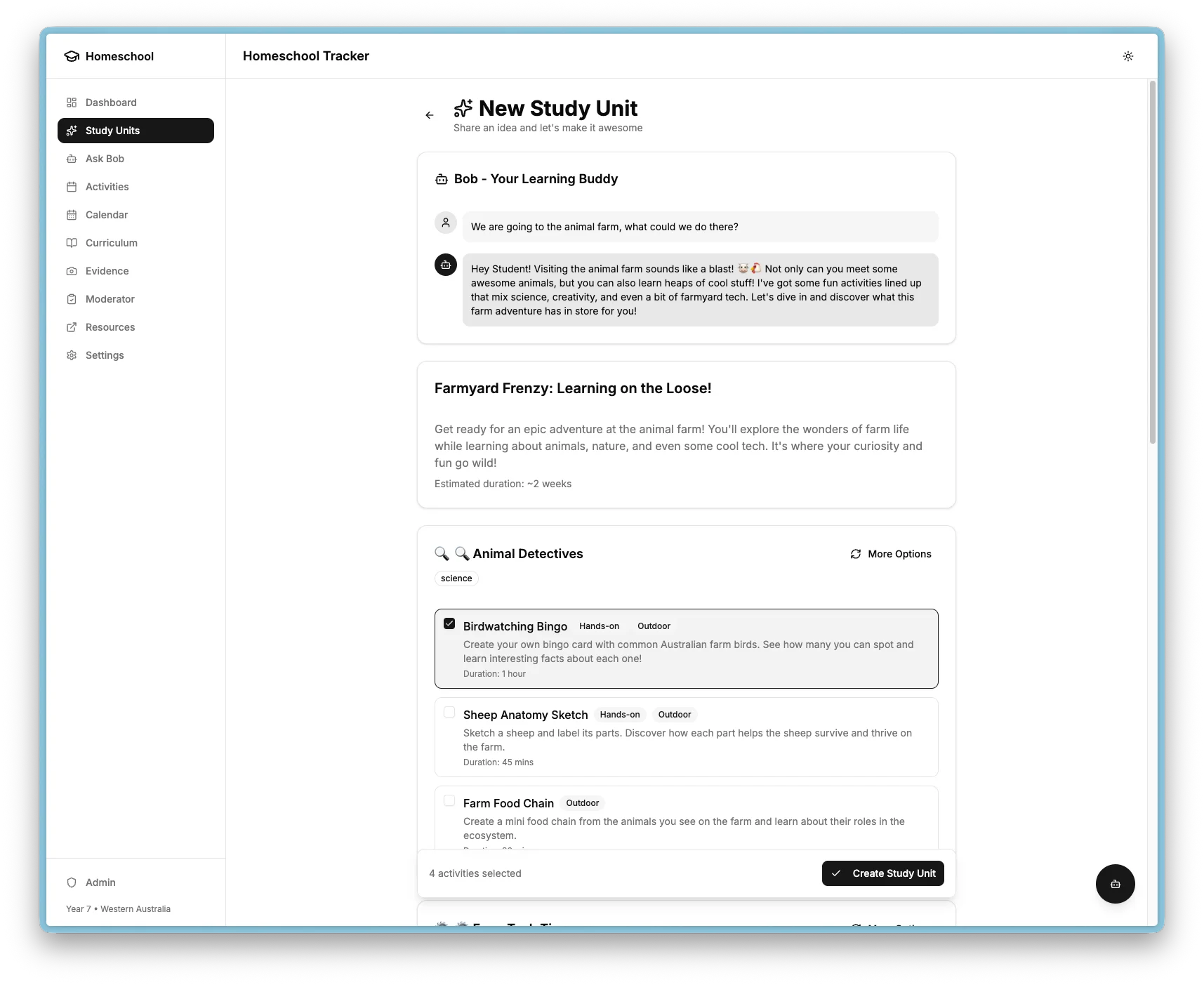
Study units allow a parent or student to share a learning idea and have AI expand it into a structured set of activities spanning multiple curriculum areas, tailored for the student's engagement level.
For example, "Today we fixed the irrigation system in the backyard" becomes a themed unit called "Water Systems: From Backyard to Broadacres" with activities across Technologies, Science, Maths, English, and HASS.
How generation works
The AI generates:
- Title - a catchy, engaging name for the unit
- Description - 2-3 sentences explaining the adventure
- AI message - a friendly response from the AI assistant
- Categories - 4-6 themed groups of activities (e.g. Build and Create, Experiments, Write About It)
- Options - 3-5 activity choices per category
Each activity includes a title, description, relevant learning area codes, estimated duration, and flags for whether it requires help, is outdoor, or is hands-on.
Personalised AI assistant
The AI has a configurable personality set in the app settings:
| Setting | Purpose |
|---|---|
| AI name | Name the AI responds to (default: "Bob") |
| AI personality | How the AI communicates (e.g. "friendly, enthusiastic, uses jokes and fun facts") |
| Student name | Used in prompts and responses for personalisation |
| Parent name | Referenced for activities requiring help |
| Target age | Content complexity level |
| Year level | Curriculum alignment |
All settings are configurable from the Settings page. The AI uses Australian English and relates content to the student's age and interests.
Preference memory
The system builds a memory of learning preferences over time:
| Category | Examples |
|---|---|
| Interests | "Loves building things", "Into Minecraft" |
| Dislikes | "Doesn't like long reading", "Bored by worksheets" |
| Learning style | "Hands-on learner", "Visual explanations work best" |
| Topics | "Interested in engineering", "Likes animals" |
Preferences can be explicit (directly added in Settings), inferred (AI detects patterns from activity selections), or rating-derived (built from pre/post activity ratings).
Selective regeneration
Users can request new options for any category without regenerating the entire unit. The AI receives the existing options to avoid repeats and generates 4-5 new alternatives while maintaining consistency with the seed idea.
Rating system
Activities support engagement tracking with emoji-based ratings:
| Rating | When | Purpose |
|---|---|---|
| Pre-rating | Before starting | Interest level |
| Post-rating | After completion | Enjoyment level |
| Engagement notes | After completion | What they liked or did not like |
Ratings feed back into the preference memory so the AI learns what works over time.
Ask Bob Q&A
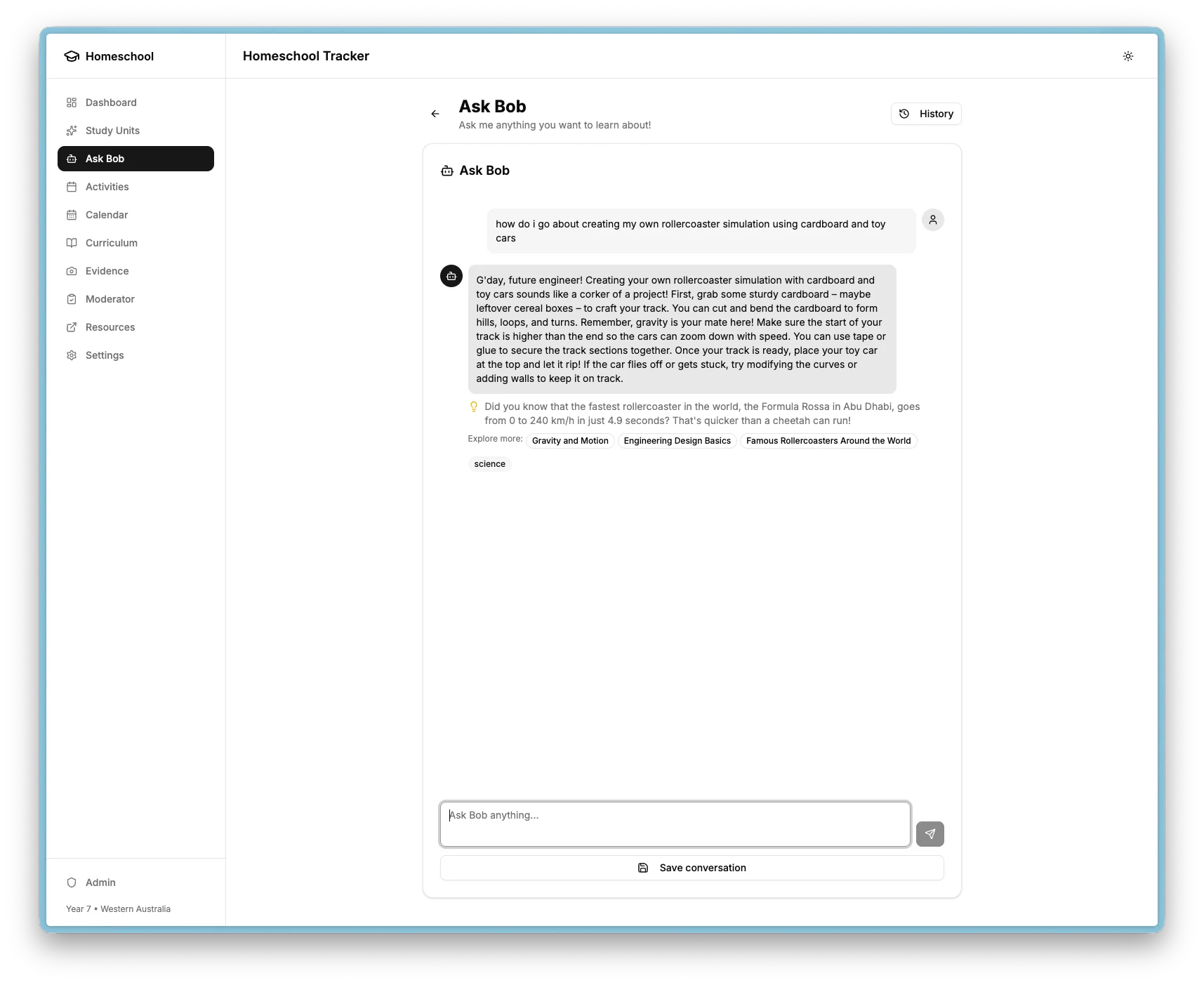
Ask Bob is an interactive AI assistant that answers questions about any subject with personalised, age-appropriate responses. Conversations can be saved and continued later, with automatic categorisation by learning area.
Access points
| Location | Behaviour |
|---|---|
| Floating button (all pages) | Bottom-right; opens modal on desktop, bottom sheet on mobile |
| Sidebar link | Navigates to full-page chat interface |
| Study unit detail page | Collapsible "Ask Bob about this" section with topic context |
The floating button is hidden on /questions/ pages to avoid duplication.
What Bob provides
Each answer includes:
- An age-appropriate explanation using Australian English
- A fun fact or interesting tidbit
- The automatically detected learning area
- 2-3 related topics as clickable suggestions for follow-up
Conversation history
Full chat threads are persisted in the database:
- Conversations group messages with a title, learning area, and favourite status
- Messages store both user questions and AI responses with metadata
- Conversations can be continued later with new messages
- History view groups conversations by learning area with expand/collapse
When asking from a study unit page, the study unit title is automatically passed as context so Bob can give more relevant answers.
Ask Bob programme context
Ask Bob gains deeper awareness when used from within the AvE programme. Each expanded task step shows an "Ask Bob about this step" button that opens a chat pre-loaded with programme context.
How it works
When the student clicks the button:
ProgrammeStepContext(a React context) provides the current step'schildContentand cumulative command reference.- The server fetches the step's
parentContent(the full solution). This is never exposed to the client or included in the response. - The prompt instructs the AI to give Socratic hints only: ask guiding questions, reference what the student already knows, and never reveal the solution directly.
Learning Journey awareness
Ask Bob also knows what the student has already completed across the programme. When answering a question, it can reference previously learned concepts ("You used range() in Module 2, Part 3 - the same idea applies here") without the student needing to explain their background.
AI configuration
Both features use the same OpenAI integration:
| Setting | Default | Purpose |
|---|---|---|
| Model (quality) | GPT-4o | Study unit generation, creative content |
| Model (speed) | GPT-4o-mini | Quick Q&A responses |
| JSON mode | Enabled | Structured output for study unit generation |
| Lazy initialisation | Yes | Client created on first use, not at module load |