Features
All features below are included in every edition. For edition-specific differences, see Edition comparison and Editions further down this page.
AI
All editions.
You choose what AI models you want to use from a range of popular providers. Switch between them and compare to discover which one works best for you. Local AI providers will function without internet once a model is downloaded and active.
| AI Feature | Description |
|---|---|
| Providers | Range of popular AI providers supported including local (Ollama, LM Studio, and llama-server for advanced users), and cloud (OpenAI, Anthropic, xAI, Perplexity, Mistral, Groq, and Google Gemini). See AI analysis modes for standard vs deep analysis |
| Competency assessment | AI-generated ICF competency scores with specific transcript evidence across ACC, PCC, and MCC frameworks |
| Development seeding | AI-generated development areas from a cross-sectional analysis across ACC, PCC, and MCC frameworks. Seed directly into the coach development plan |
| Person insights | AI-generated cross-sectional analysis of a person across ACC, PCC, and MCC frameworks, from both coach and client perspectives |
| Coaching reflection | AI-generated cross-sectional analysis of your coaching themes, progress and development across ACC, PCC, and MCC frameworks. Includes best and weakest sessions with improvement timeline |
| Client reflection | AI-generated cross-sectional analysis of your repeating themes and progress areas as the client. Includes session timeline |
| Bulk assessments | Background job for AI-generated assessments. Select to generate one or more coach assessments per framework and client session summaries |
| Prompt templates | Customise system AI prompts used for AI-generated assessments. Edit any prompt to create a custom override. Each can be reset to default. Prompt templates include writing style, client summary, coach assessment (ACC, PCC, MCC), framework comparison, person overview (client, coach), development progress, coach rollup and client letter |
Core
All editions.
All core features work without any setup. No integrations, no internet (only needed once for first time activation), and no video platform connection needed.
ICF
| Feature | Description |
|---|---|
| Coaching log | Import ICF Client Coaching Log CSV with fuzzy matching for people, sessions, programmes, and peer pairs. Export sessions in ICF coaching log format |
| Progress | Monitor hours toward ACC, PCC, and MCC. Auto track the 18-month freshness window with submission readiness predictor and date picker. Add ICF member badge |
| Coach education | Track all education toward ACC, PCC, and MCC. Add earned badges and certificates |
| Mentor coaching | Track all mentor coaching toward ACC, PCC, and MCC. Add group mentor coaching and one-on-one |
| Performance evaluation | Track performance evaluations toward ACC, PCC, and MCC. Add score, rating and summary. Add copy of evaluation |
| Exam results | Track exam results for ACC, PCC, and MCC. Add score, rating and summary. Add copy of results |
| Programmes | Track ICF Reciprocal Peer Coaching triads. Manage programme name, dates, partners, progress and linked sessions |
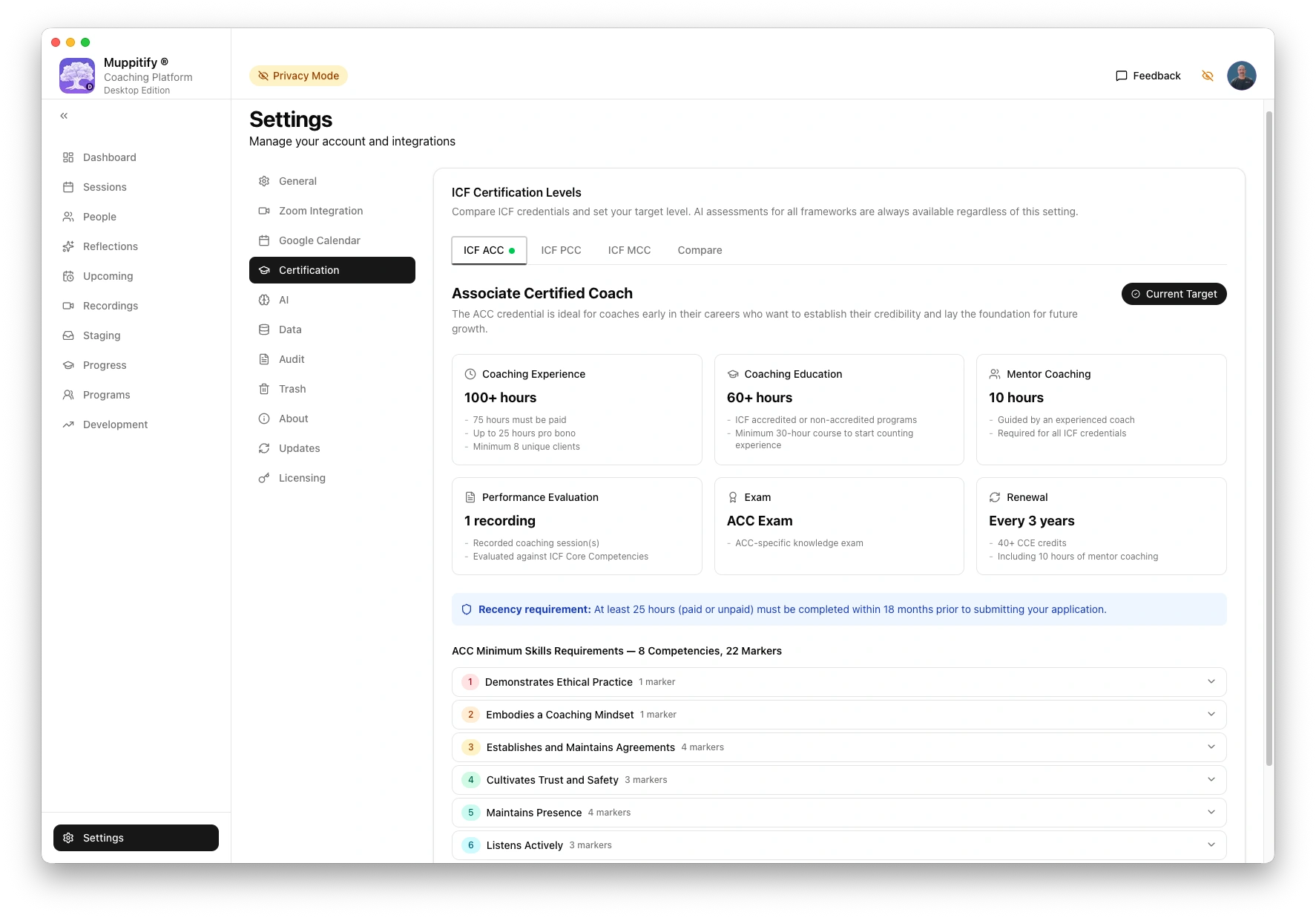
| Certification levels | Compare ICF credentials, change your target level and view each level minimum skills requirements. Side by side comparison of all ICF credential requirements |
| Competency tagging | Manually tag ICF competency markers against transcript segments during session review. Covers all 8 core competencies and sub-competencies across ACC, PCC, and MCC. Add an optional comment per observation |
| Competency scores | View marker observations scored across ACC, PCC, and MCC with Meets, Partial, and Below ratings. Filter by credential level and switch between AI and manual markers |
| Talk time | Per-speaker analytics including talk ratio, talk and pause time, segment count, average segment length, long pauses, and talk:listen ratio. Supports self-reflection on coach presence and client talk time |
Coaching
| Feature | Description |
|---|---|
| Dashboard | At-a-glance view that includes your total sessions, clients, recordings, and upcoming sessions. ICF progress and recent sessions |
| Sessions | All sessions view with sort and filters. Log coaching, peer coaching, ICF programme, mentoring, training, and meeting sessions in coach or client role. Track status, duration, paid/pro bono hours |
| People | Manage clients, peer coaching pairs, and partnerships |
| Review | Play back audio and video recordings with a synced transcript that auto-scrolls and highlights the current segment. Click any transcript line to play from that point. Supports picture-in-picture, pop-out window, and audio-only playback |
| Staging | Import video, audio and transcripts saved locally from any video conferencing platform into a new or existing session |
| Development | Add and track coach development areas with action plans and progress entries |
Data
| Feature | Description |
|---|---|
| Restore and backup | Full restore and backup including recordings, transcripts, ICF documents, and coach development areas. Filter by date range or selected sessions. Cross-edition compatible such as export from desktop edition and import into server edition |
| Compliance log | System wide immutable event history for compliance with filter and search |
| Deletion and recovery | Restore or permanently delete trashed items with 30 day retention period |
App
| Feature | Description |
|---|---|
| Dark mode | Light, dark, and system theme |
| Offline use | All core features work without internet connection after initial licence activation |
| Privacy mode | One-click toggle that masks all client names, emails, session titles, and meeting topics for safe demos, screenshots, and screen sharing. The logged-in coach's name is preserved and no data is modified. Read more about this feature on the Privacy mode page |
| Direct feedback | Report bugs and request features from inside the app, straight to me. If I like the feature then it will be added to the roadmap for early adopter roadmap voting |
| Live roadmap voting | As an early adopter you get two votes to influence which features I build next from the roadmap and shape the coaching platform. Vote via the Feedback button in the app. Votes are updated live in the app and on the Roadmap page |
Google Calendar
All editions.
| Google Feature | Description |
|---|---|
| Calendar | Once connected your upcoming meetings will automatically be refreshed |
Zoom
All editions.
| Zoom Feature | Description |
|---|---|
| Integration | Once connected your Zoom auth token will automatically be refreshed |
| Recordings | Preview and fetch Zoom sessions along with their recordings directly into new or existing sessions. Select the recording files to download. Auto session matching with manual override |
Zoom staging
Server and K8s editions only with tunnel configured.
| Zoom Feature | Description |
|---|---|
| Staging | With a Zoom webhook and the coaching platform running then Zoom recordings are automatically staged when cloud recorded meetings end. The Zoom recording files are automatically downloaded to the platform ready for assignment of coach and client to be imported into a session |
The platform works with recordings from any source. Import video or audio files from Microsoft Teams, Google Meet, or in-person recordings via the Staging page. For a comparison of recording and transcription capabilities across platforms, see Video platforms.
Edition comparison
If you are unsure if the platform will work on your computer you can download and install the latest version for the edition you want. When the licence page is displayed then the platform is operational and ready to be licenced via a one-time purchase.
| Feature | Desktop | Server | Vault | K8s |
|---|---|---|---|---|
| Core features | ✓ | ✓ | ✓ | ✓ |
| AI features | ✓ | ✓ | ✓ | ✓ |
| Zoom | ✓ | ✓ | ✓ | ✓ |
| Google Calendar | ✓ | ✓ | ✓ | ✓ |
| Manual database backups | ✓ | ✓ | ✓ | |
| Single-user | ✓ | ✓ | ✓ | a |
| Update notifications | ✓ | ✓ | ✓ | b |
| Automatic updates | ✓ | c | ✓ | ✓ |
| Offline use | ✓ | d | ✓ | d |
| macOS app | ✓ | ✓ | ||
| Obsidian-native | ✓ | |||
| Browser access | ✓ | ✓ | ||
| Mobile access | ✓ | ✓ | ||
| Zoom staging | ✓ | ✓ | ||
| Tunnel security enforcement | ✓ | ✓ | ||
| Health monitoring | ✓ |
Editions
Desktop Edition
| Feature | Description |
|---|---|
| macOS app | Apple Silicon (M-series) native binary. Native menu bar, frameless window with traffic light controls |
| Zoom recordings | Manual fetch from Zoom Cloud via OAuth. Connect your Zoom account in Settings > Zoom |
| Google Calendar | Sync upcoming meetings and create coaching sessions from calendar events |
| Update notifications | Notified when a new version is available. One-click download, then close the app, drag to Applications, and relaunch to complete the update |
| Automatic updates | Background download and install on next launch |
| Offline use | All features work without internet after licence activation |
Server Edition
| Feature | Description |
|---|---|
| Docker container | Single-image deployment. Runs on Windows or Linux via Docker, or QNAP NAS via Container Station. Intel or AMD processor required (ARM not supported) |
| Browser access | Access from any device on your network including phone and tablet. Fully responsive mobile view |
| Zoom webhooks | Recordings auto-staged when Zoom meetings end. No manual fetch required |
| Google Calendar | Same calendar sync as Desktop Edition, accessible from any browser |
| Cloudflare Tunnel | Built-in tunnel connector for optional secure public domain access |
| WAF auto-enforcement | Tunnel automatically disconnects if Cloudflare WAF security rules are not detected, protecting your data |
| Self-signed HTTPS | TLS certificate auto-generated with custom SANs for your LAN IPs and hostnames |
| Admin password | Set during first-time setup, protects all browser access via session cookie |
| Update notifications | Notified when a new version is available. Updates are applied manually by pulling the latest Docker image |
| Automatic updates | Optional automatic updates via Watchtower, which checks for and applies new versions at a configurable interval without manual intervention |
Vault Edition
| Feature | Description |
|---|---|
| Obsidian-native storage | All coaching data stored as markdown files with YAML frontmatter in your Obsidian vault. The vault is the database. No SQLite, no proprietary formats |
| macOS app | Same Electron shell as Desktop Edition. Universal binary (Apple Silicon + Intel) |
| Obsidian Bases | Pre-built native Base views for sessions, people, programmes, and progress, with card and table layouts included |
| Graph view | Wikilink relations between sessions, people, and programmes visible in Obsidian's graph view |
| Real-time sync | Edits made in Obsidian are reflected in the app within milliseconds. Edits in the app appear in Obsidian immediately |
| Vault template | First launch copies Bases, templates, and category notes into your vault without overwriting existing files |
| Zoom recordings | Manual fetch from Zoom Cloud via OAuth, same as Desktop Edition |
| Google Calendar | Sync upcoming meetings and create coaching sessions from calendar events |
| Update notifications | Notified when a new version is available via a separate update channel from Desktop Edition. One-click download, then close the app, drag to Applications, and relaunch to complete the update |
| Automatic updates | Background download and install on next launch |
| Offline use | All features work without internet after licence activation |
K8s Edition
The Kubernetes edition is designed for coaches who need to support multiple users on a shared installation. All features available on the Server Edition are also available on K8s.
| Feature | Description |
|---|---|
| Multi-user | Multiple coaches each sign in with their own account via authenticated logins |
| Automatic updates | Updates on K8s are managed automatically by automated version-controlled deployments with no manual intervention required |
| Automated database backups | Database backups run on a schedule automatically to protect your data |
| Health monitoring | Platform performance and availability monitored continuously in the background |
The K8s Edition is available upon request. Schedule a session with Andy to discuss your requirements.
Things to know
Edition comparison
- (a) K8s supports both single and multi-user authenticated logins
- (b) Updates on K8s are managed automatically by automated version-controlled deployments with no manual intervention required
- (c) Automatic updates require Watchtower running alongside Docker. Without Watchtower, updates are manual via Docker
- (d) Available when tunnel is not configured and access is LAN only
Desktop, Server, and Vault editions are designed for a single coach. One coach per installation. The K8s Edition supports multiple coaches via OIDC authentication.
Remote access
Remote access is not supported. The optional tunnel on Server and K8s editions expose only the necessary API endpoints publicly if enabled. All other access is locked down via Cloudflare security rules created by you and enforced by the platform. These editions automatically disconnect the tunnel if the rules are misconfigured.
AI
All AI features require a VTT transcript and a configured AI provider. Cross-sectional analysis requires at least two AI-generated session assessments. See AI setup for supported providers and configuration.
Cloud AI providers require an API key that you enter which is then encrypted by the platform. Cloud API costs are your responsibility.
Transcripts
Review, talk time, and competency tagging require an imported transcript with speaker-attributed timestamps in VTT format. If your recording does not include a VTT transcript, see Transcribing without Zoom.
Zoom
All Zoom features require the platform to be connected to your Zoom account via a configured Zoom OAuth app. After recordings are imported they are stored locally and do not require further Zoom connectivity. See Zoom setup.
Zoom staging (Server and K8s editions) additionally requires a webhook and a public domain with a Cloudflare Tunnel. See Cloudflare Tunnel setup.
Google Calendar
Google Calendar requires the platform to be connected to your Google account via a configured Google project. See Google Calendar setup.